Paint, view, and memorize 13×13 poker charts.
A blazing-fast, clean Windows desktop app for serious poker players — on-table chart lookup and study, entirely on your own terms. It runs next to, never inside, your poker client.
Blazing fast
Loading and switching charts feels instant. Built speed-first for use mid-session.
Simple
Minimal UI, essential controls only. A chart is just a grid, a legend, and your notes; nothing more is imposed.
Your files, yours alone
Every chart and preset is a plain JSON file you name and organize in ordinary folders. No hidden database, no cloud, no account.
No telemetry
Zero data collection. Nothing ever leaves your computer.
Chart Painter
Create and edit charts by painting actions onto a 13×13 hand grid. Left-click or click-and-drag to paint with the selected action; right-click to erase. Build your own legend with any actions and colors you like, add a name and free-form notes, and save or load charts wherever you choose.
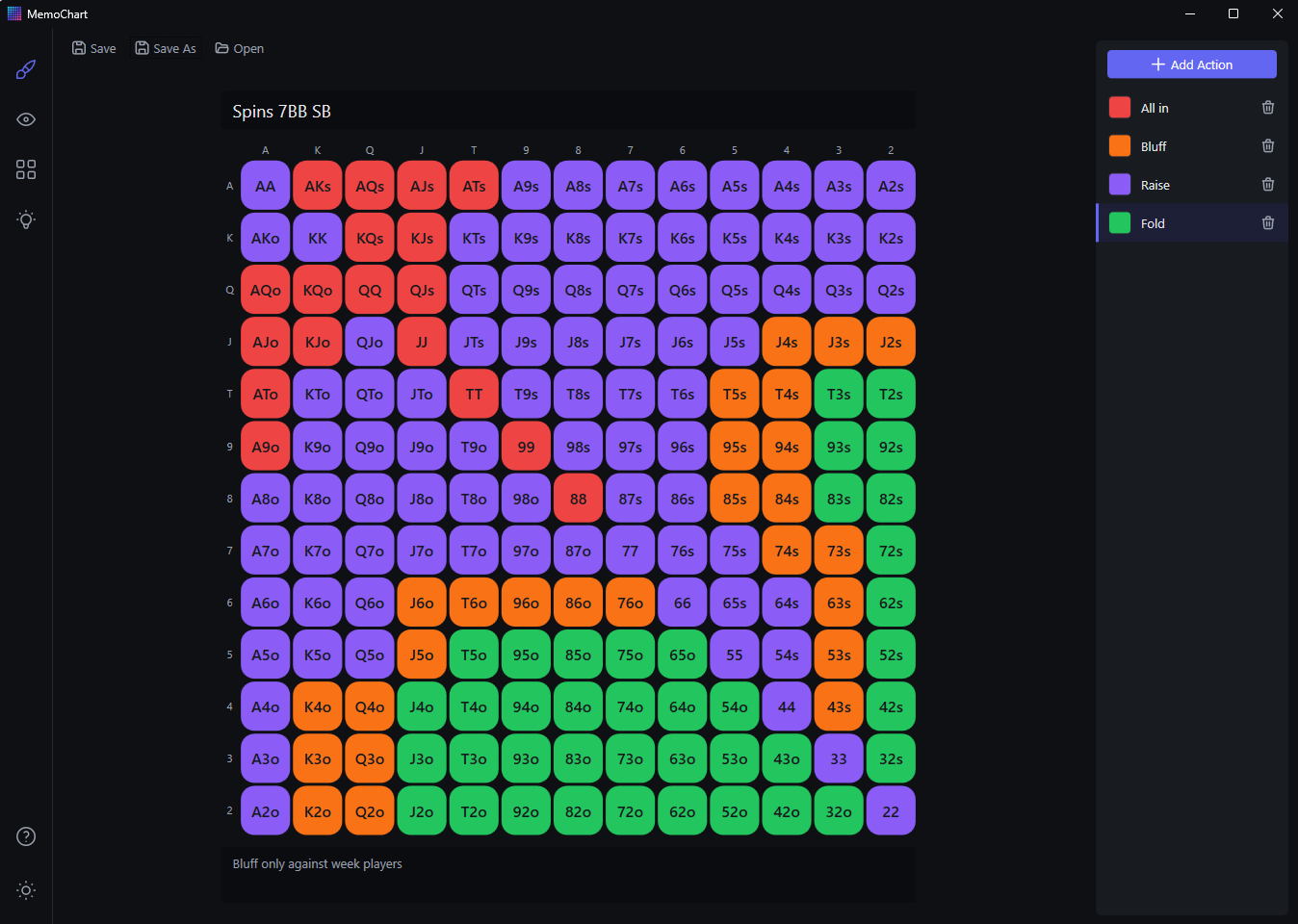
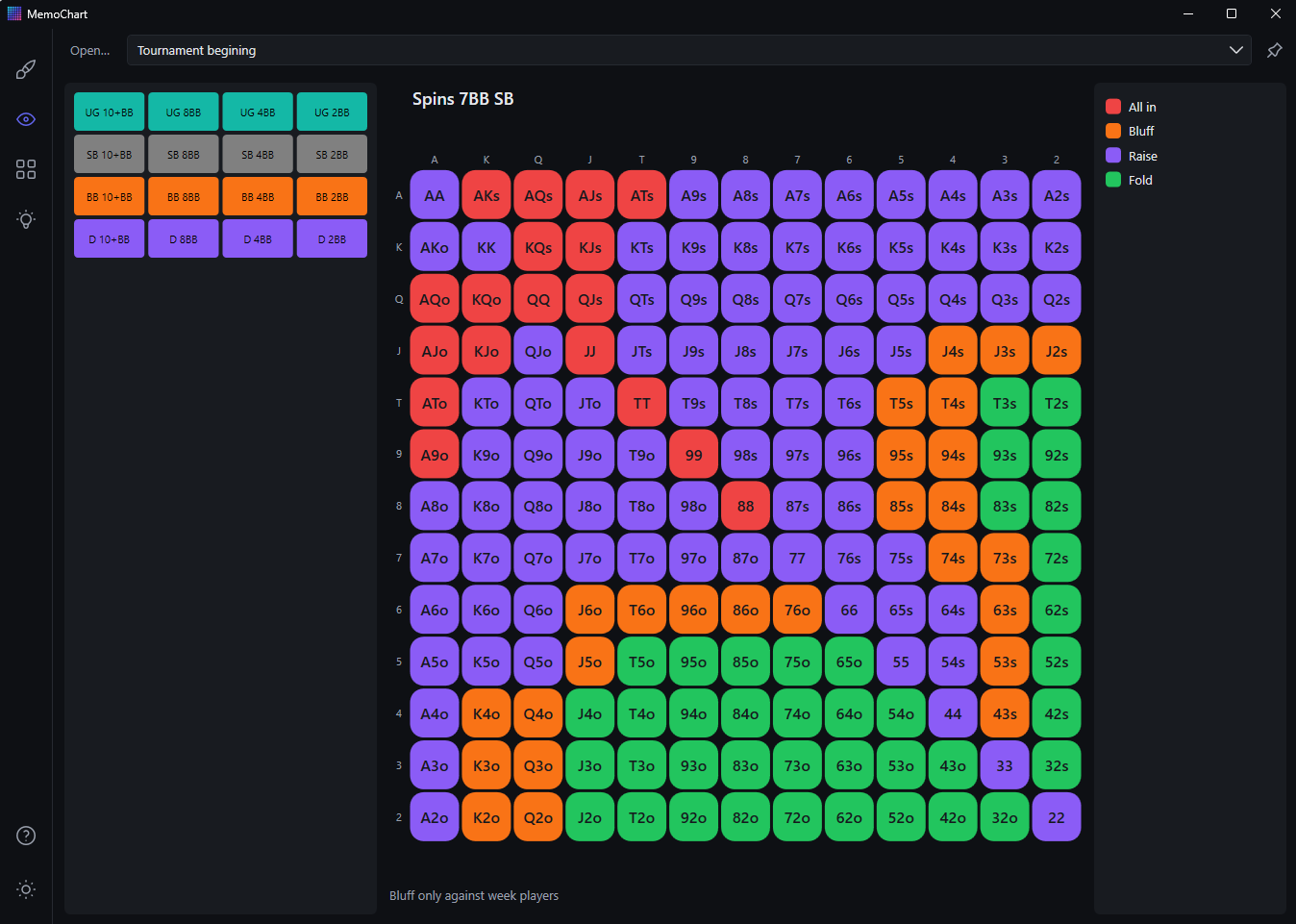
Chart Viewer
The on-table companion. Pull up any chart with its legend and notes, switch charts instantly with a panel of quick-access buttons you design yourself, and swap whole button layouts from a preset dropdown. An always-on-top toggle keeps the window visible beside your poker client, and the button panel is resizable to fit your monitor.
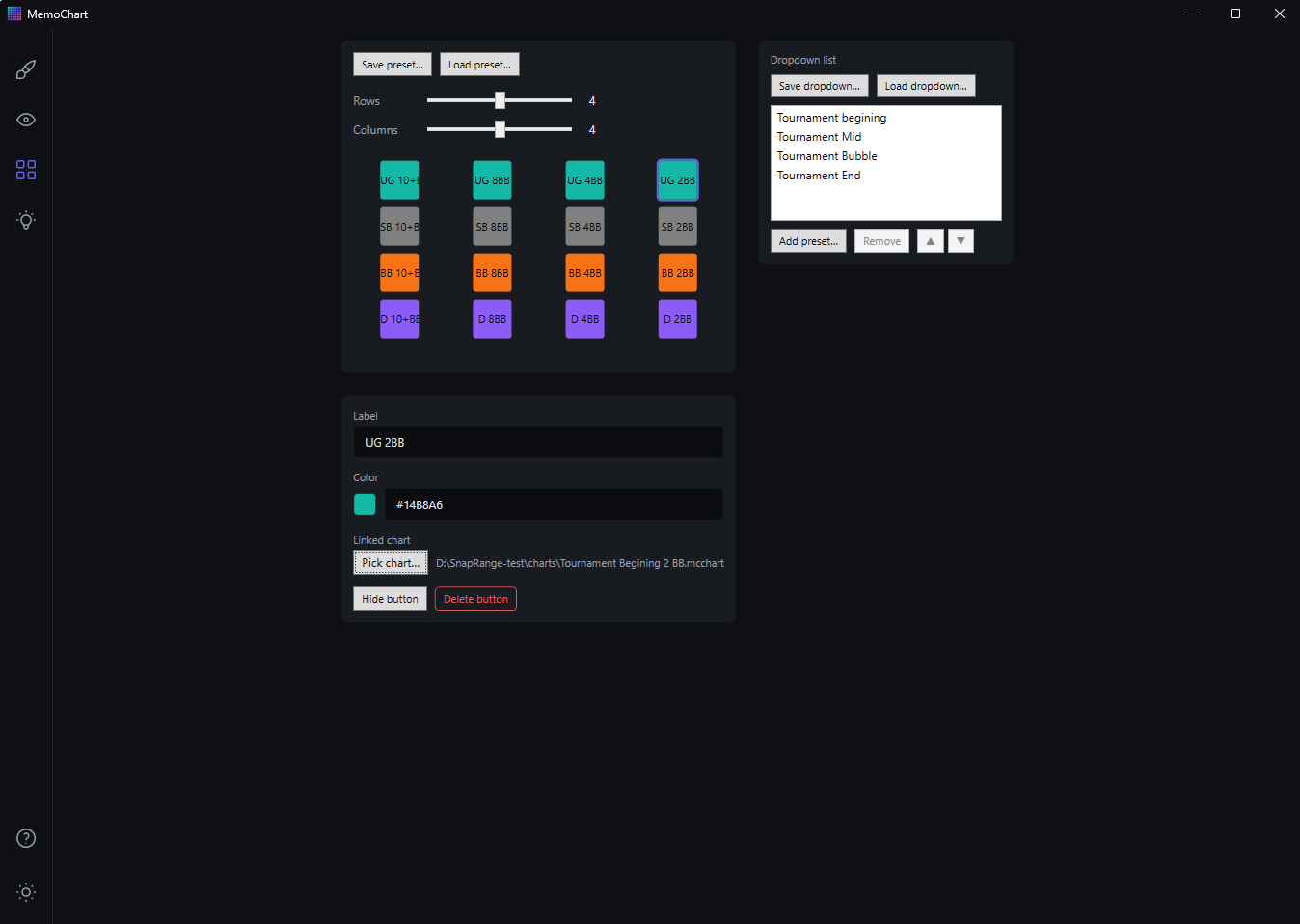
Configurator
Design the Viewer's button panel: pick a grid of up to 7×7 buttons, choose which are visible, and give each one a label, a color, and a linked chart. Save complete presets, and manage which presets appear in the Viewer's dropdown and in what order.
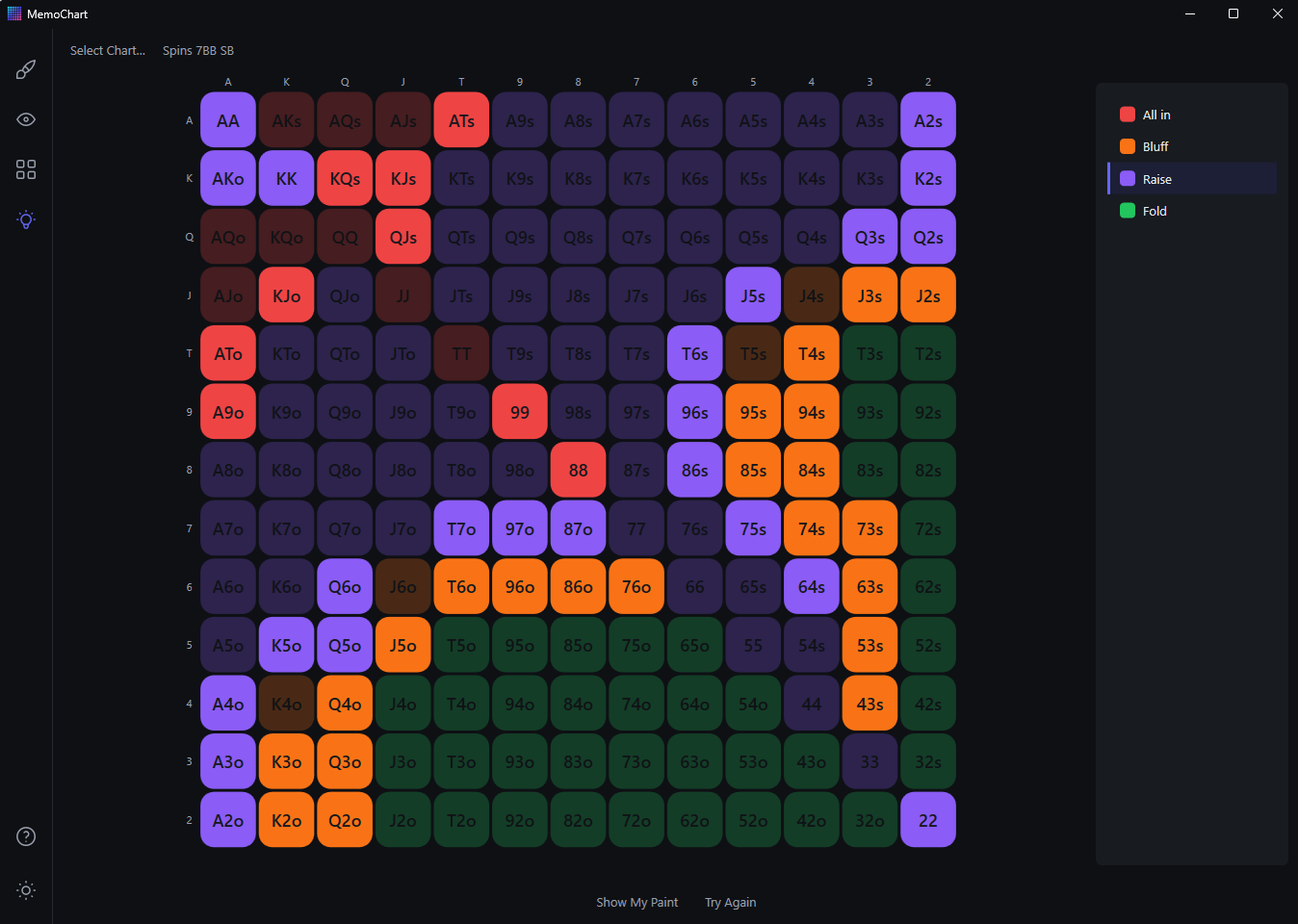
Memory Helper
Practice any chart with two study modes. In Paint Mode, repaint the grid from memory; when you press Ready, correct cells fade and only your mistakes stay at full color. In Question Mode, the app asks what the action is for a specific hand, and hands you miss come back around soon after. In both modes you can press and hold Peek for a quick look at the real chart.
FAQ
Does it touch my poker client?
No. MemoChart doesn't interact with poker software in any way — no overlays, no HUDs, no scraping. It simply runs next to your poker app.
Is it really free?
Yes, for now — free while the product proves itself, with no account and no telemetry.
Does it phone home?
No. There is no telemetry and no analytics; your charts are local files on your computer. (The web host keeps ordinary server access logs; that is all.)
Why does Windows warn me when I install?
The installer isn't signed yet, so Windows SmartScreen shows a warning. Click More info, then Run anyway. Details on the Download page.