MemoChart Help
A short guide for each of the four modules. This is where the in-app Help button lands.
Chart Painter
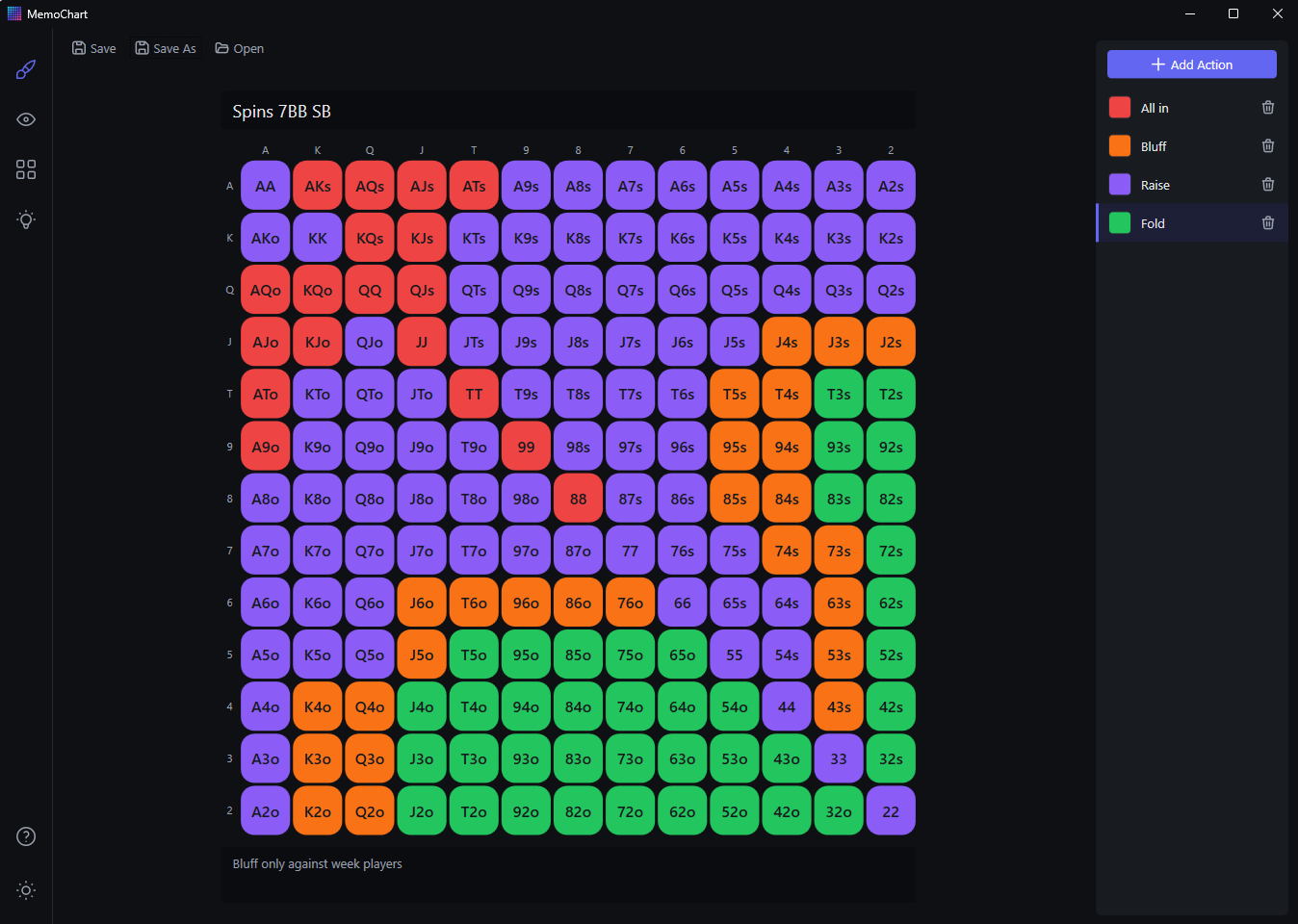
- Paint: left-click a cell — or click and drag across several — to fill with the selected action. Right-click to erase.
- Legend: add or remove actions with any names and colors you like, then select one to paint with it.
- Name and notes: a chart is just the grid, a legend, free-form notes, and a name. MemoChart imposes no metadata — position, stack, or game type live in the name and notes if you want them.
- Save / Save As / Load: each chart is one plain JSON file (
.mcchart; older.srchartfiles still open) saved wherever you choose.
Chart Viewer
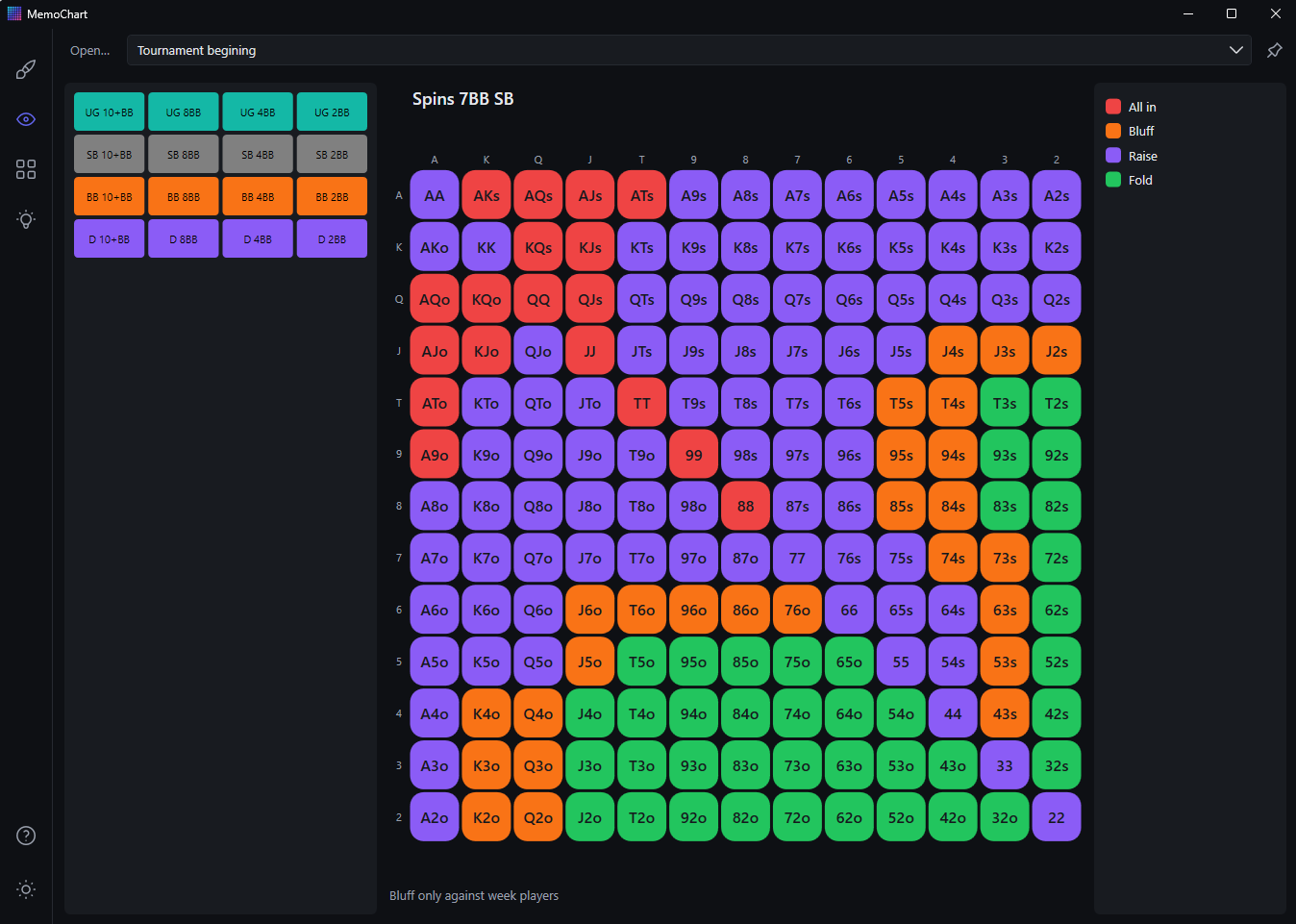
- On-table lookup: shows a chart's grid, legend, and notes, and loads charts as fast as possible.
- Quick-access buttons: the panel beside the chart switches charts instantly. You design that panel yourself in the Configurator, and it's resizable to fit your monitor.
- Presets: the dropdown at the top swaps whole button layouts in one click.
- Always on top: a toggle keeps the window visible beside your poker client.
Configurator
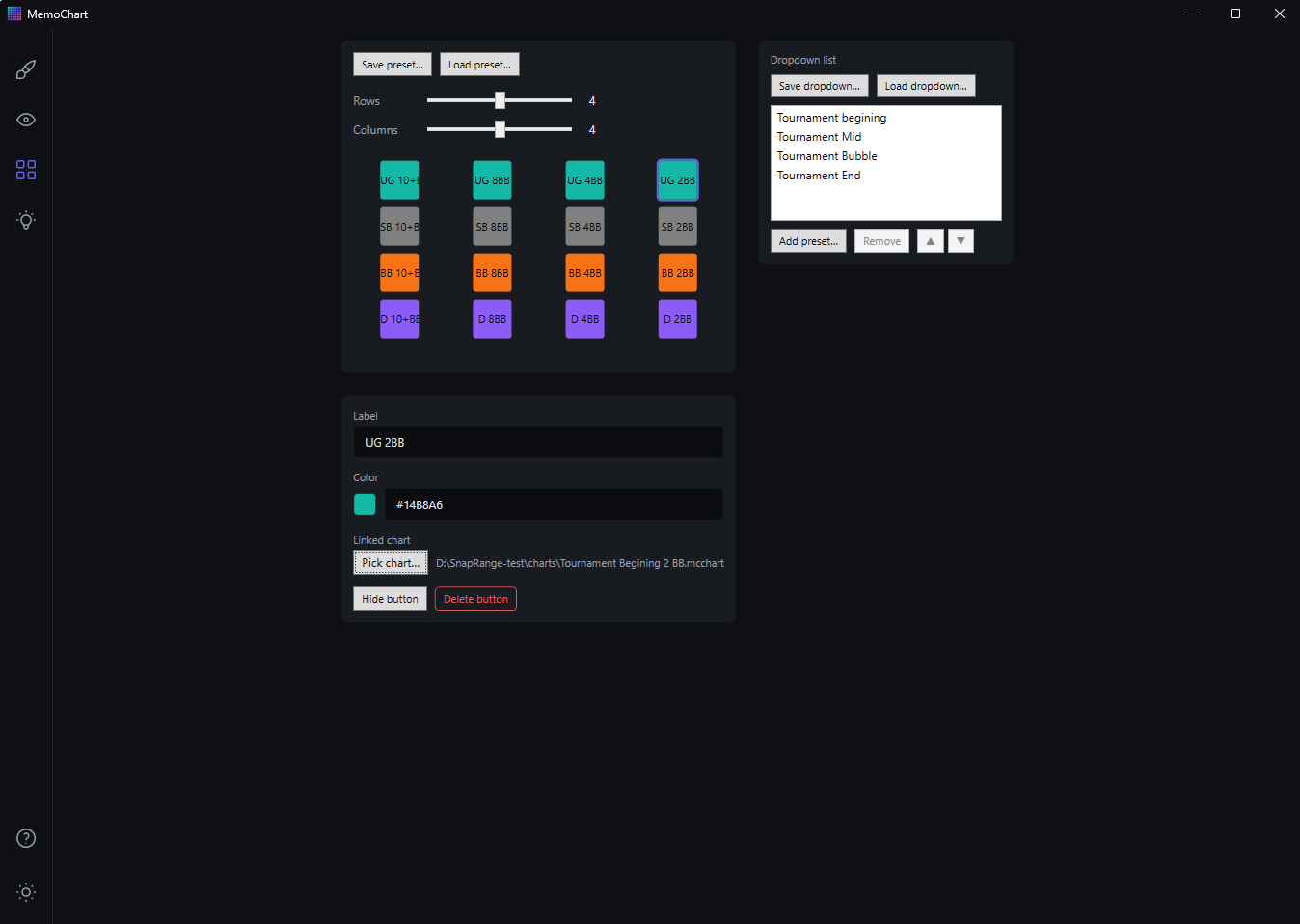
- Design the button panel: pick a grid of up to 7×7 buttons and choose which cells are visible.
- Per button: set a label, a color, and a linked chart. Click a configured button to edit or delete it.
- Presets: save and load complete presets (
.mcpreset; older.srpresetfiles still open), and manage which presets appear in the Viewer's dropdown and in what order. - Missing chart? If a button's linked chart file can't be found, it shows as an empty chart — relink it in the Configurator.
Memory Helper
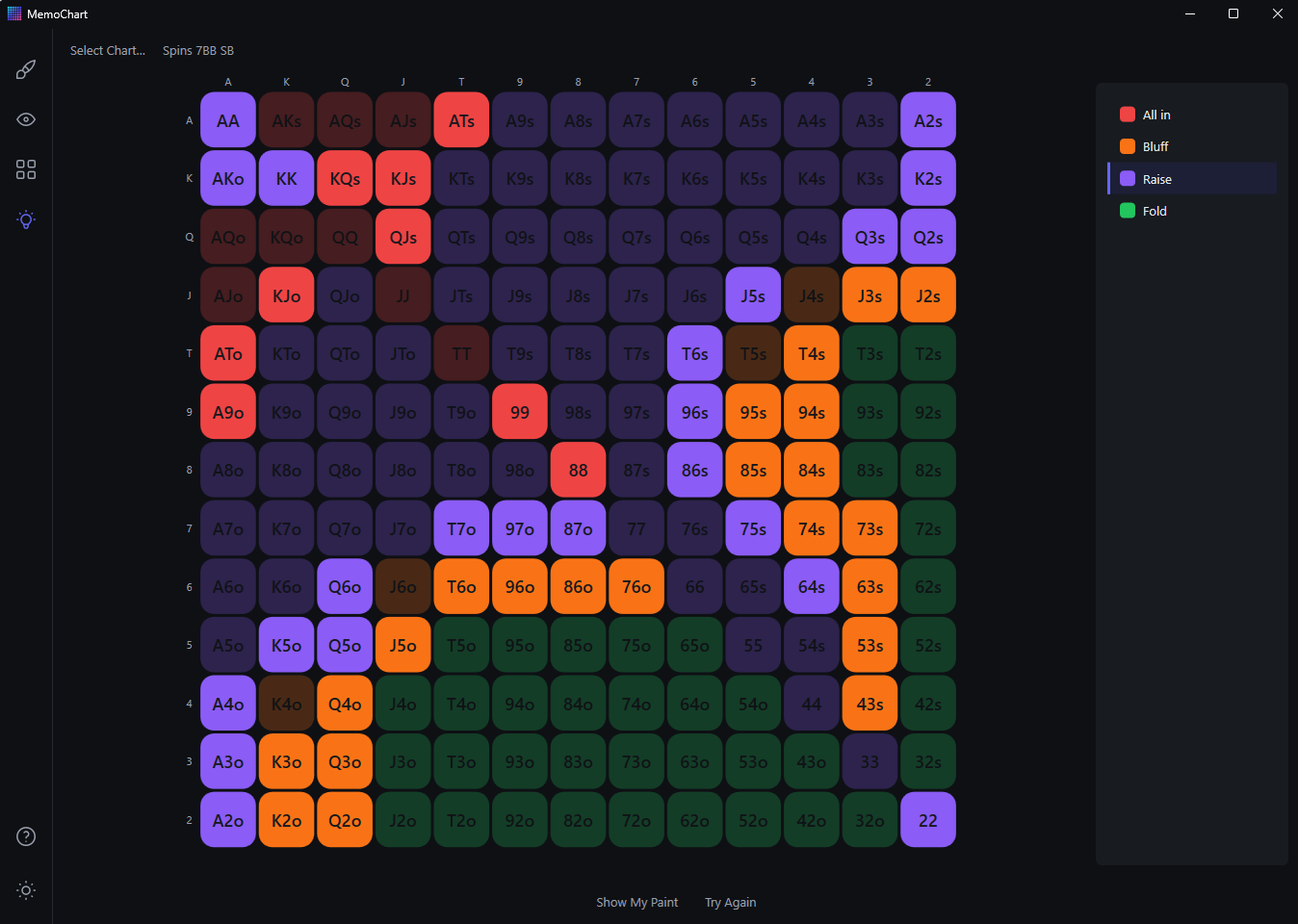
- Pick a chart to study, then choose one of two modes.
- Paint Mode: repaint the grid from memory using the chart's legend. Press Ready and the cells you got right fade out — only your mistakes stay at full color, so corrections are quick. No scoring.
- Question Mode: the app asks what the action is for a specific hand and you answer via the legend. Hands you miss come back around soon after.
- Peek: in both modes, press and hold Peek for a quick look at the real chart. It's a study aid — nothing is scored or tracked.
Good to know
- Light and dark themes, switchable in one click — the window title bar follows your choice.
- Charts scale to fill the window: resize freely and the grid stays square, centered, and legible.
- Everything remembered: window size, theme, last-used folder, always-on-top state, and panel layout are restored the next time you open the app.
- Your files: every chart, preset, and dropdown configuration is a plain JSON file, organized with ordinary folders and filenames. Nothing ever leaves your computer.